Amplifying Agency
Jason Kridner · Northville educators
The opening slides follow Jason’s wiki outline and his October 2026 review; the Today slide is an overview of the hour. Each slide’s note says where it came from: Jason’s own words, his first-hand story, or proposed facilitation notes. Slides marked “For review” ask a question for the reviewer.
Run of show
0–8 minutes: agency, technology and complexity. 8–17: Chloe and Bridget. 17–23: a bridge from the story (a crayon for computing; Hilbert, Turing and Minsky; what a computation is; Turing completeness). Exercise 1, 23–42: a counter machine with crayons, running Add and Multiply, then how it climbs to any program and why it is Turing complete. Exercise 2, 42–63: the Mechanical Turk and Amazon Mechanical Turk, what to watch for, the word hat (setup, prompt, turns, second run), probability distributions and training, and economics. Demonstration, 63–67: BadgeSnake, students’ BeagleConnect Zepto boards playing Battlesnake on a BeagleBadge (the first piece of “The Interactor”). 67–73: summary, the supercar analogy (for review) and reflection. 73–88: questions. (Exercise 3, the network exercise, is parked in parked/.)
These allocations total 88 minutes, including 15 minutes of questions but have not been timed with teachers. The counter machine exercise is untested with teachers. Before the session, prepare per table a printed set of counter machine cards (machine-cards.html), and a box of 24 crayons. Each table needs paper slips, pencils, a cup and a shared response sheet for the hat. There is no computer-based machine-learning activity or live recording dependency.
Image status: all 19 illustrations link directly to the repository’s unversioned assets, so replacing a UV file updates the presentation automatically. Images need connectivity or an existing browser cache; none is copied into this version.
Amplifying Agency: Technology as an opportunity
- “Ideas are equal. Opportunities are not.” - RJ
- How do we amplify the good in every idea?
- Even better, how do we enable students to amplify the good they see in the ideas of others?
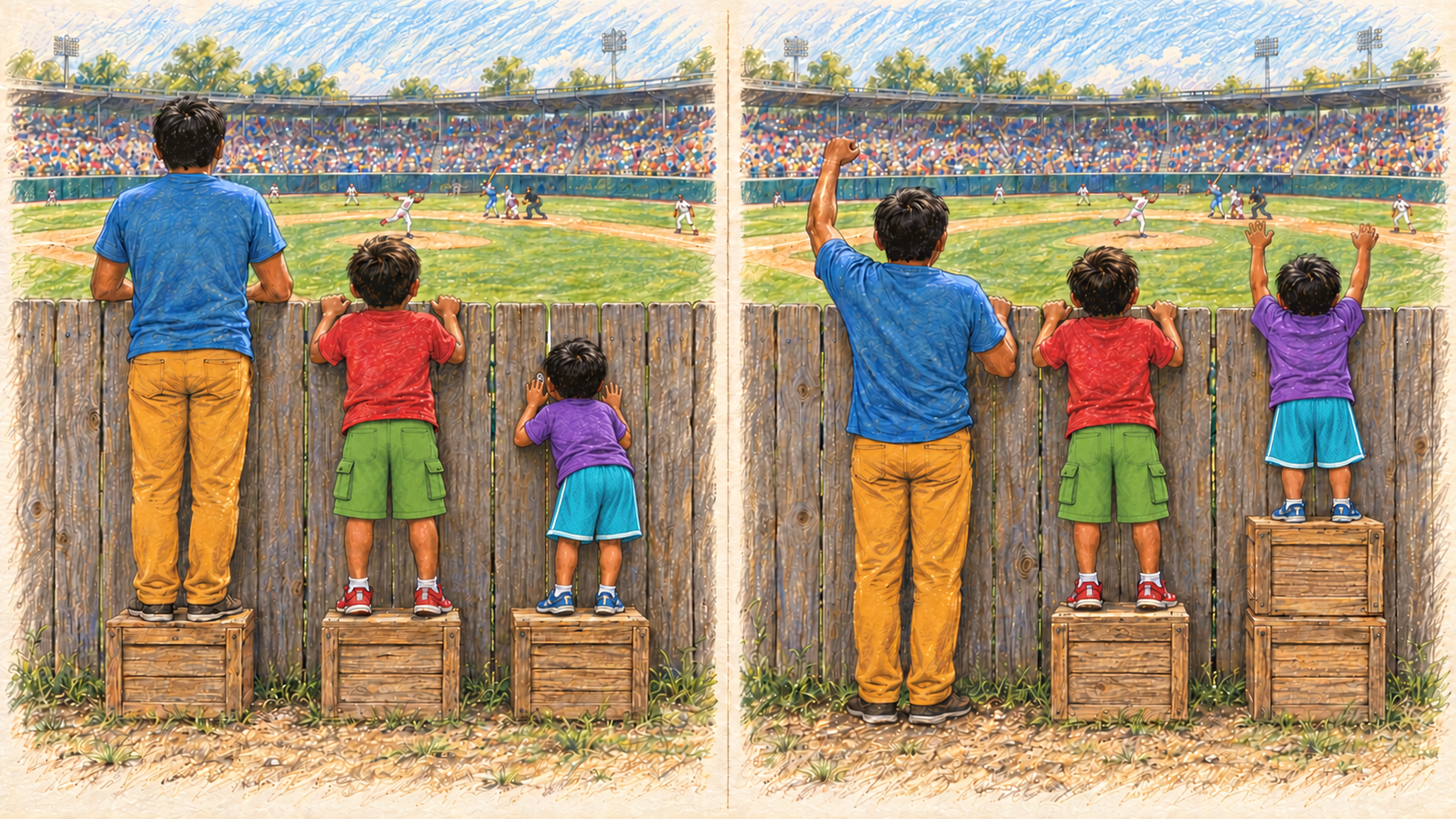
- In this AI-generated illustration based on https://interactioninstitute.org/illustrating-equality-vs-equity/, I want you to think about the crates as a technology.
- When the tallest child uses this technology to aide the shortest, he has amplified that child’s agency.
- Each child enjoys the benefit.
Context / proposed delivery note
Jason’s spoken interpretation: equality versus equity. The taller child becomes happier through giving his unnecessary crate and being of service. The shortest child can watch the game rather than peek through a gap. Treat this as the intended reading, not a claim that every viewer will infer it unaided.
Today
Tell them what you are going to tell them. One line per part, no detail yet. Each exercise opens with what it will show and ends with what we saw, and the hour ends with a summary.
On the slide
- Why should everyone know the basics of how a computer works?
- Can I compute anything computable with just 2 instructions?
- How does the AI know?
- Demonstration: BeagleBadge + BeagleConnect Zepto “Interactor”
- How can we work together to amplify the agency of your students?
Technology can be as simple as a stick
- Computers and AI models are just highly-flexible tools
On the slide
- Using tools to amplify agency
- Found everywhere

Managing complexity
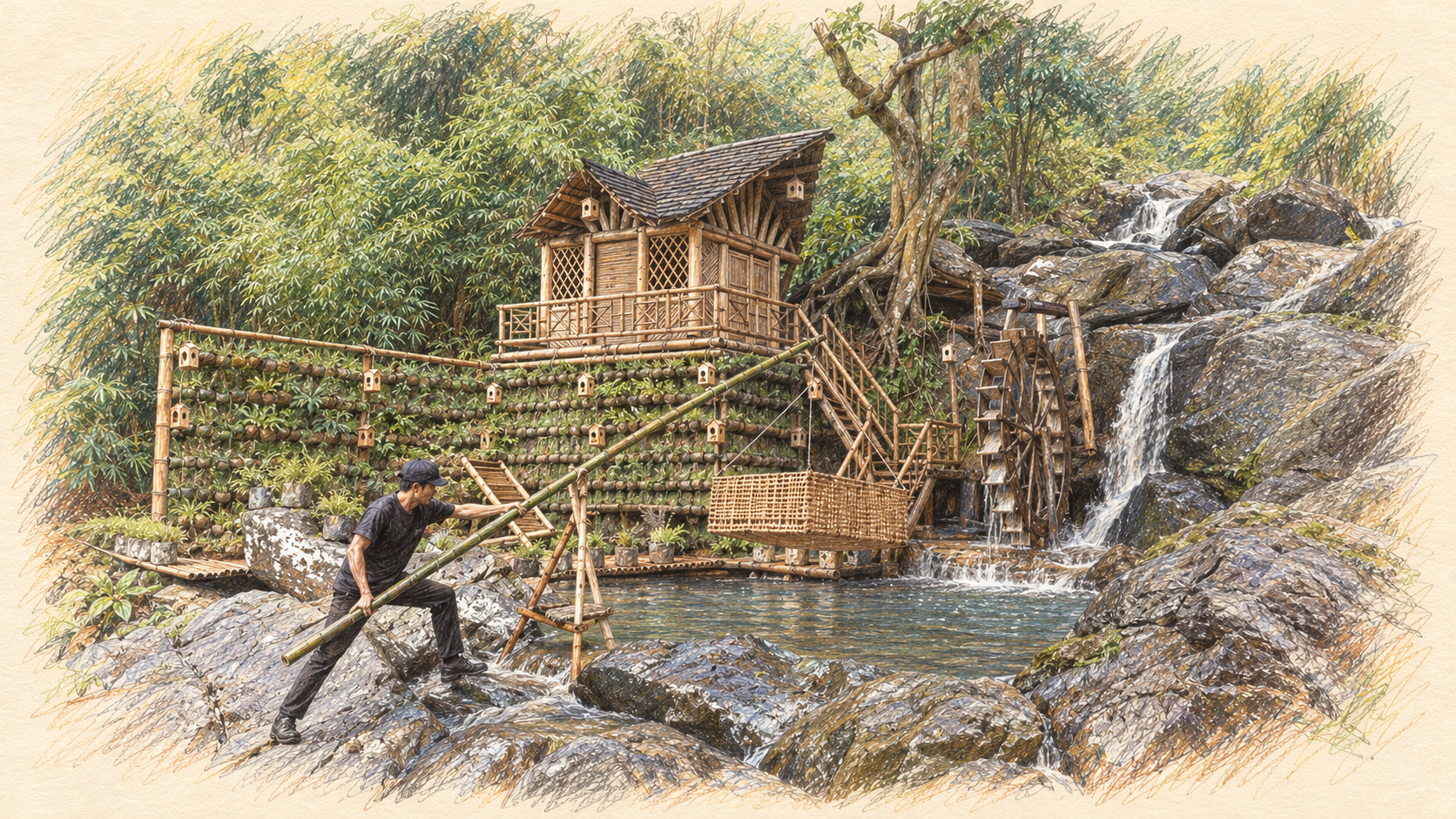
To find agency, the behavior of your medium has to be predictable. If you can't intuit what will happen when you act, that's the definition of not having agency.
While the medium might not appear to have any value judgement of its own, it may amplify some outcomes more than others. Choosing a medium, or developing a medium, impacts outcomes and is therefore a moral choice.
I believe the baseline is that each of us wants to be a positive force in the world. This is simply an article of faith for me, but I generally just don't see the value in concluding that anyone is fundamentally guided by bad intentions. Instead, I see the world as amplifying the bad in their ideas, rather than building on the good. Ultimately, none of us lives in a bubble, isolated from the rest of the world, so it is our role to look for the best in the ideas and help them flourish.
When a system gets complex enough, it will drift towards failure unless it is continuously maintained
Tolerating failure locally, using readily available and replaceable building blocks, prevents the failure of the whole
Context / proposed delivery note
These are Jason’s framing and beliefs. The illustration provides a medium for discussing them; it does not establish the engineering reliability of the depicted structure.
On the slide
- Doing good feels good
- Agency requires predictable medium
- Medium amplifies specific outcomes
- Complexity drifts towards failure
- Plentiful medium supports addressing risk
Meet Chloe
I want to tell you the story of Chloe and her experience of technology.
The image on the next slide was inspired by a Pearl Jam concert t-shirt I had as a kid.
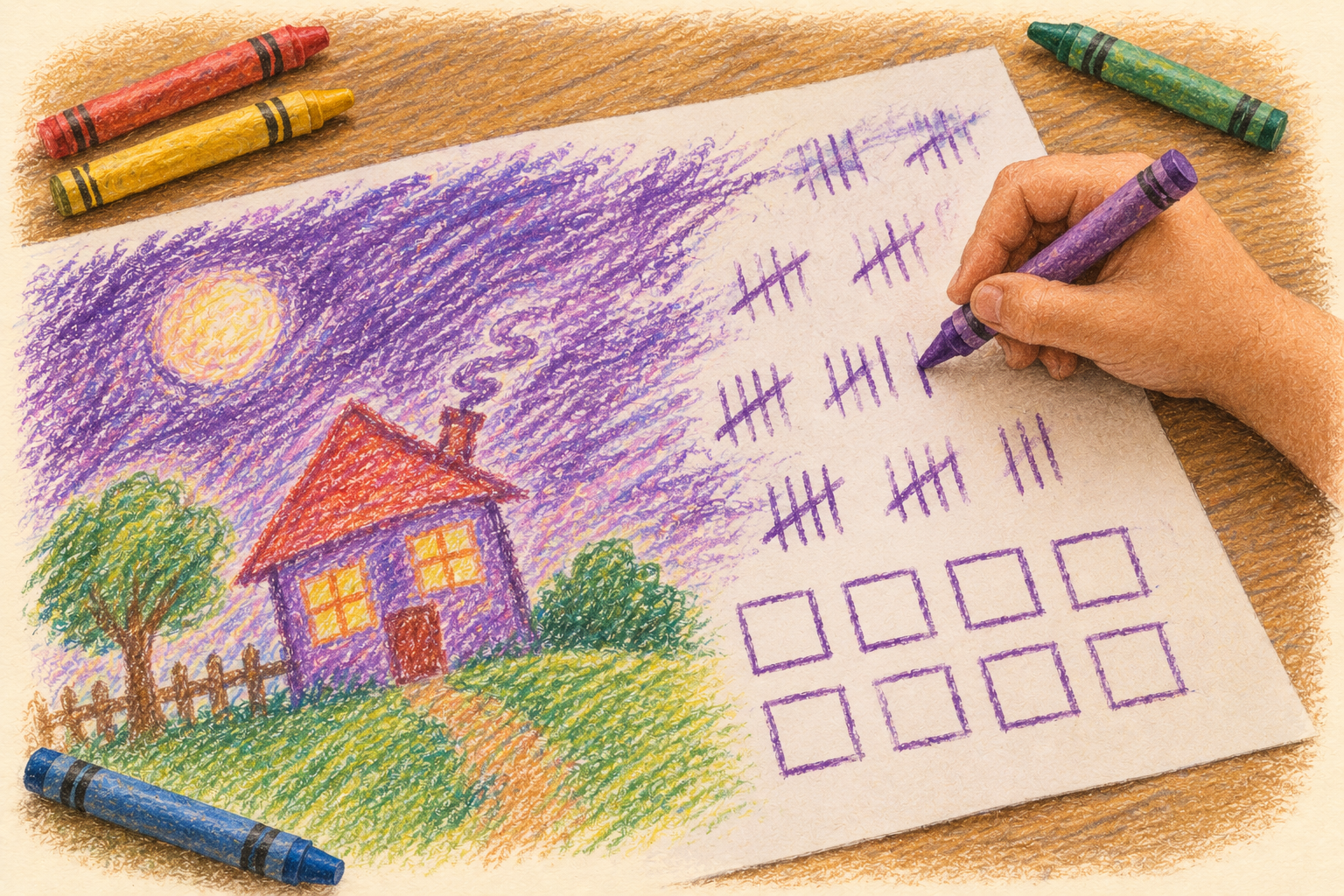
On one side, the t-shirt said "9 out of 10 kids prefer crayons to guns".
The other side had this image on it, with the word "choices".
The image can invoke some strong emotions, and it is meant to, but for the purpose of this story, this is simply how I imagine Chloe making a choice to find her own self-expression with drawing, even if she didn't know she was making that choice.
Let's please save any political discussion for the right time and place. If you are offended or frightened, it is not my intent, but I accept your judgement and am happy to revisit with you how to express my idea better. Please visit with me after the presentation.
Context / proposed delivery note
The slogan is a recalled shirt slogan, not a statistical claim.
On the slide
- Entirely fictional character
- Loves drawing
- Learns tough lessons about her medium
- Inspired by Pearl Jam 1992 concert t-shirt stating on one side
“9 out of 10 kids prefer crayons to guns” - On the other side, something like this …

Choices
Crayons helped Chloe find a voice for self-expression
This isn't a binary choice; Chloe could have found any number of mediums
For me, computers and electronics became my medium
For you, how did you learn to express your ideas?

Chloe fell in love with drawing
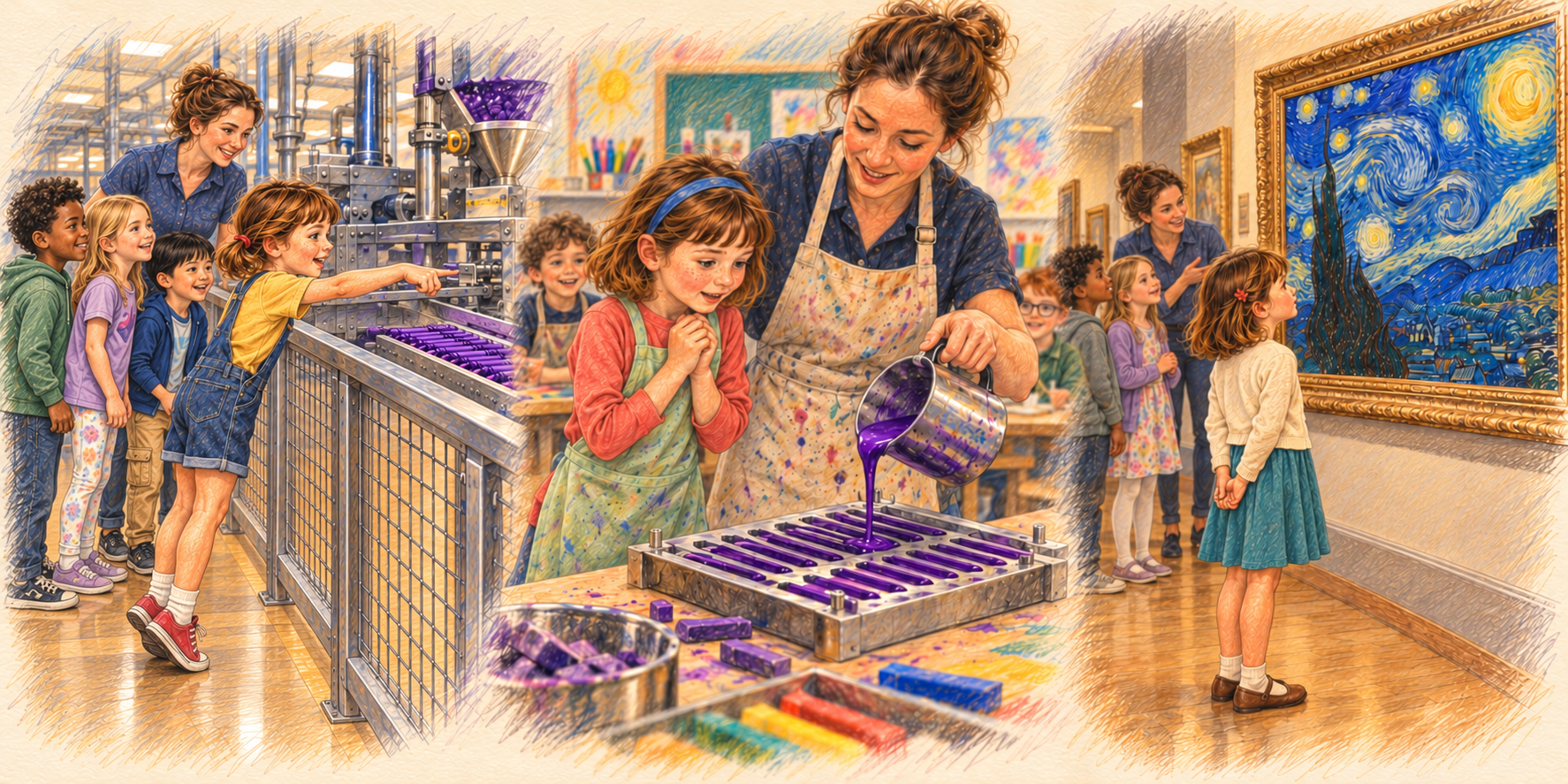
Chloe visits an art museum and looks at The Starry Night. The same illustration also shows her visit to the crayon factory and the classroom making crayons.
Context / proposed delivery note
The Starry Night supersedes the fictional pencil tree in the earlier story. This is an AI-generated depiction of a museum visit, not a reproduction offered as a source image. The UV file is mutable: a later replacement will appear here without changing the deck.
On the slide, one per advance
- She was able to understand the source of her tools
- She was even able to envision how to change those tools herself
- And when seeing the masters in the craft, she was inspired, seeing only herself in her own way
Chloe was able to express herself
On a school trip to the crayon factory, Chloe stands on tiptoe at the rail. A worker shows them wax, color, a mold. She points to a tray of purple crayons.
“Could you make it darker?”
The worker shows her where the color goes in.
Back in class, they make their own. The teacher handles the hot wax. Chloe chooses the scraps. When hers has cooled, she rubs it across a corner of paper, frowns, and puts more blue scraps beside the mold for the next batch.
She takes both crayons home. She has plans for the second one.
Context / proposed delivery note
Return verbally to the factory and classroom scenes just shown. Understanding the process gives Chloe practical confidence, without implying complete independence from society or supply chains.
On the slide
- She adapted to her tools and adapted her tools to her
- When one crayon broke, she grabbed the next and it behaved mostly like she expected

Chloe mastered
Years pass. Her bedroom fills with houses, including a dreadful clay one she won't let anybody throw away. On a borrowed tablet, she learns to make their windows light up. Somebody is still reading.
One afternoon, on her way home, she sees the factory windows covered with brown paper. She slows down. The little entrance where her class lined up is chained shut.
She still has the two purple crayons.

The house answers, softly.
Now imagine Chloe years further on, working with AI. She sketches, asks, rejects, redraws. Together with the system, she makes a house you can walk through, though its rooms could never fit inside its walls. Rain on the roof becomes music. A visitor whistles, and a staircase curls toward the sound.
Chloe spends three evenings getting the rain right.
At the opening, a woman hums a tune her father used to whistle. The house answers, softly. She asks if she can stay a little longer. Chloe finds her a chair.

The windows stopped glowing
As a teenager, Chloe made her first animations in Flash: little windows that lit up one by one, posted for her friends to play in their browsers.
At the end of 2020, Adobe stopped supporting Flash Player, and a few weeks later it blocked Flash content from running at all. Chloe was one of millions of people whose animations and games stopped playing that winter.
Years later she opens the folder. Nothing plays. On the wall above her desk, the paper drawings from the same year are still glowing.
Do not dwell on the brand. The point is that Chloe’s work depended on something she could not see inside, keep running or replace. Much of that work has since been rescued with emulators, but only because people outside the company understood how it worked.

“You have exhausted your 100 credits”
When Bridget went to school, she learned about alebrijes in Spanish class: the brightly painted fantasy creatures of Mexican folk art. The technology teacher came in one day and introduced the class to Photoshop Express, where Bridget learned how to make her own alebrije: a gloriously colorful flying bird with a sloth face, air-striding giraffe legs, and antlers the size of Disneyland.
Just when Bridget was about to put the finishing touch on with a burst of marigolds, she got the notice: “You have exhausted your 100 credits.”
Let it land. Chloe’s crayons never ran out halfway through a picture. Bridget’s tool did, and nothing in the lesson showed her how it worked or what else she could have used.

What can the child carry away?
This is the turning point of the story. Take it slowly.
At the kitchen table, Bridget slides her own drawing under a placemat.
“Mine doesn’t do anything.”
Chloe pulls up a chair. She thinks of her windows that no longer glow; Bridget thinks of her alebrije, one burst of marigolds from finished. They look at the drawing between them and ask the same question: what can the child carry away?
Now make the contrast explicit, pointing back to the “Choices” slide (slide 6). Chloe chose crayons: a medium she could understand, make, take apart and master, and nobody could switch it off. Bridget is being guided down a different path. Her tools are impressive, but they run out of credits or stop working, she cannot see inside them, and along the way paper and crayons stopped looking like a real way to express herself. Her drawing “doesn’t do anything” only because she has been taught that the things that matter happen somewhere else.
We are putting Bridget in a very different situation from the one Chloe had, and most of us never chose to. The rest of today is about giving children like Bridget back what Chloe had: tools they can understand, and the confidence that their own marks count.

A crayon for computing
Pick up from the question on the last slide: what can the child carry away? Chloe’s first tool was a crayon. She knew where it came from, how it was made, and how to make a darker purple. Nothing about it was hidden, and with enough marks it could make any picture.
Bridget’s tools were the opposite: powerful, but locked away. So ask the question the next three slides answer: is there a tool for computing that is as simple and open as a crayon, one a child can understand completely, that can still compute anything a computer can? The surprising answer is yes, and we will build it on your tables with crayons.
On the slide
- Chloe understood her crayon: she could even make one
- A crayon is a tiny tool that can draw any picture
- Is there a tool that simple that can compute anything?
- Three people found one
Hilbert, Turing, Minsky
Three steps, thirty years apart.
In 1928 the mathematician David Hilbert asked whether there could be a fixed procedure, rules followed without any insight, that settles every mathematical question. To answer, someone had to say exactly what following rules means.
In 1936 Alan Turing did. He pictured a person working with pencil and paper: looking at one mark at a time, writing or erasing a mark, and deciding what to do next from a fixed list of rules. He argued that anything that can be worked out by following rules can be worked out this way, and he showed that one set of rules can carry out any other set it is given. He also proved some questions can never be settled by any rules, which answered Hilbert: no. The illustration is an imagined Turing machine, not a picture of Turing.
In 1961 Marvin Minsky showed how small this can get: piles of counters and two kinds of instruction, add one and take one (checking whether the pile is empty), are enough to do anything Turing’s rule-follower can. That is the tool we will use, and it is as simple as a crayon.
On the slide
- 1928, David Hilbert: what can following fixed rules ever work out?
- 1936, Alan Turing: a person with pencil and paper, following rules, can work out anything that can be worked out
- … but some questions no rules can ever settle
- 1961, Marvin Minsky: two rules are enough. Add one. Take one.
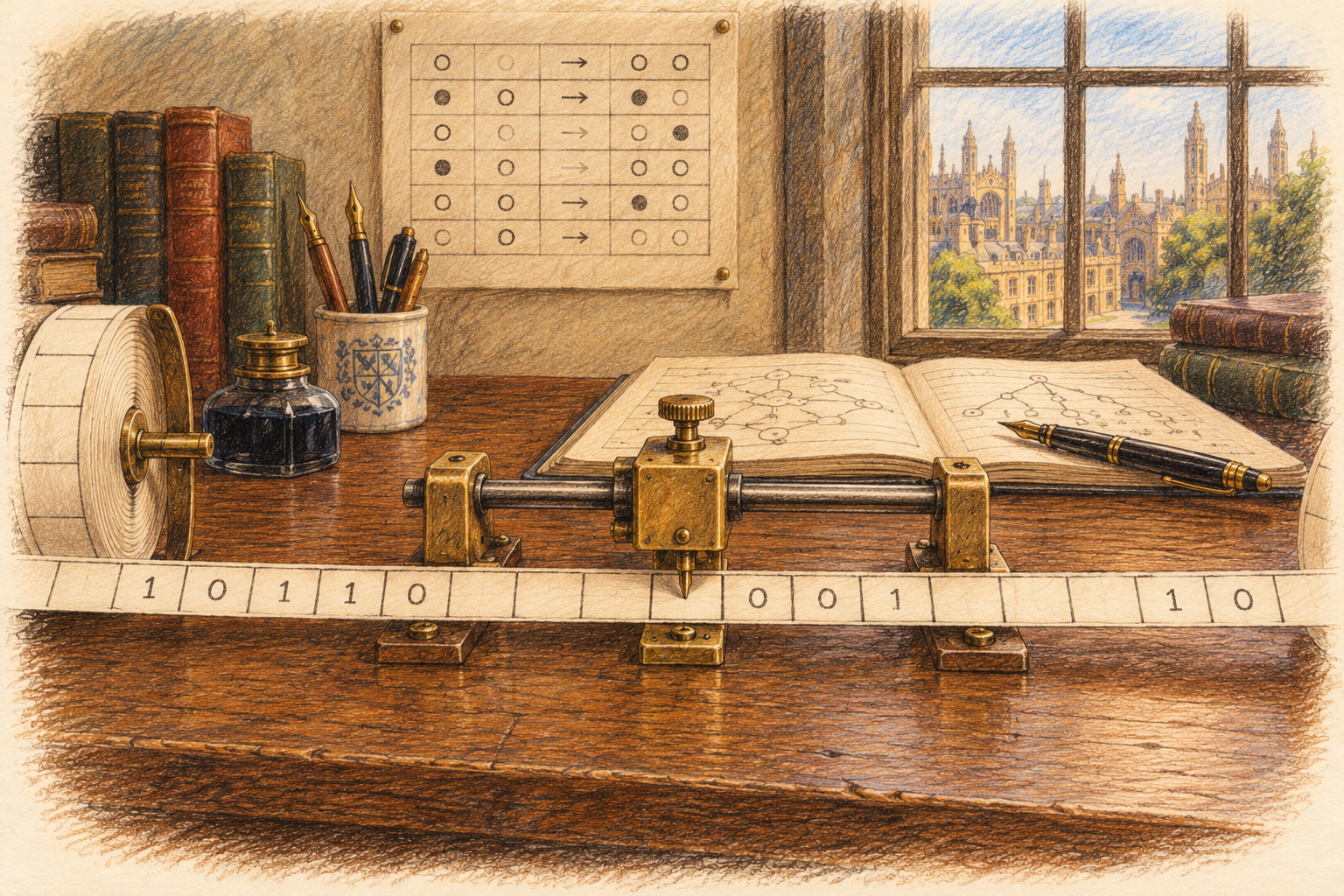
What is a computation?
This is the whole idea, and it needs no technical words. A computation is changing marks into other marks by following rules exactly. The marks can be anything: pencil strokes, crayons, crayon dots, counting bears, beads, holes in punched cards, or the tiny electrical charges inside a computer. The rules never need to understand what the marks mean.
Kindergarten classrooms already do this every day. Adding by counting crayons, bears or beads into cups is a computation: marks in (3 crayons, 5 crayons), a rule followed exactly (move one at a time until the cup is empty), marks out (8 crayons). The child who moves the crayons does not need to “know” 3 + 5 = 8; the rule produces it. That is exactly the program we are about to run.
What Minsky showed is that nothing more than this, cups, counters and rules about adding and taking one, is needed for any computation at all.
On the slide
- Marks go in
- Rules are followed exactly
- Marks come out
- You already teach this: counting crayons into cups

Turing completeness
A system is Turing complete if it can simulate any Turing machine, given unlimited memory and time. In practice that takes three things: memory it can read and write, a way to choose the next step based on what it reads, and repetition. Every general-purpose computer and nearly every programming language has them. So do some surprising systems, such as spreadsheet formulas and the card game Magic: The Gathering.
Two limits keep this honest. Real machines have finite memory, so they are Turing complete only in the idealised sense. And completeness is about what can be computed, not how fast: some programs never halt, and no machine can always tell which.
The Turing test is a different idea. It asks about behaviour in a conversation, not about what can be computed. Keep the two separate.
The counter machine has all three: the cups or cups are memory, the take rule chooses the next step by whether a cup is empty, and going back to an earlier step is repetition.
On the slide
- Read and write memory
- Choose the next step by what you read
- Repeat
Exercise 1 · Understanding the mechanism
Tell them what Exercise 1 will show, in four lines. Then the goal underneath: whatever students build, can they read the logic, predict what it will do and change it?
Bring Turing’s clerk back to the classroom. Students can use agents to help write code and still learn to inspect the logic themselves. The important difference is whether they can explain and test the mechanism, rather than depending entirely on another system to make it work. This is practical, conditional agency, not total independence. Reusing code is valuable; the question is whether the path to understanding and changing it is available.
Do not reduce this to “computers execute reliably, but AI makes mistakes.” The point is the accessible reasoning route: for an explicit algorithm and stated inputs, we can sometimes derive an outcome before running it, and teach why. Repeatability alone does not give us that explanation. Neither a successful demo nor access to a source file guarantees comprehension.
Invite one example of a classroom activity that ends at operating a product, then one that exposes an underlying mechanism. Keep this brief. The upcoming activity is deliberately small enough to understand completely.
On the slide
- A machine with only two rules
- Two programs: add and multiply
- How small steps climb to any program
- Why that makes it Turing complete
The counter machine
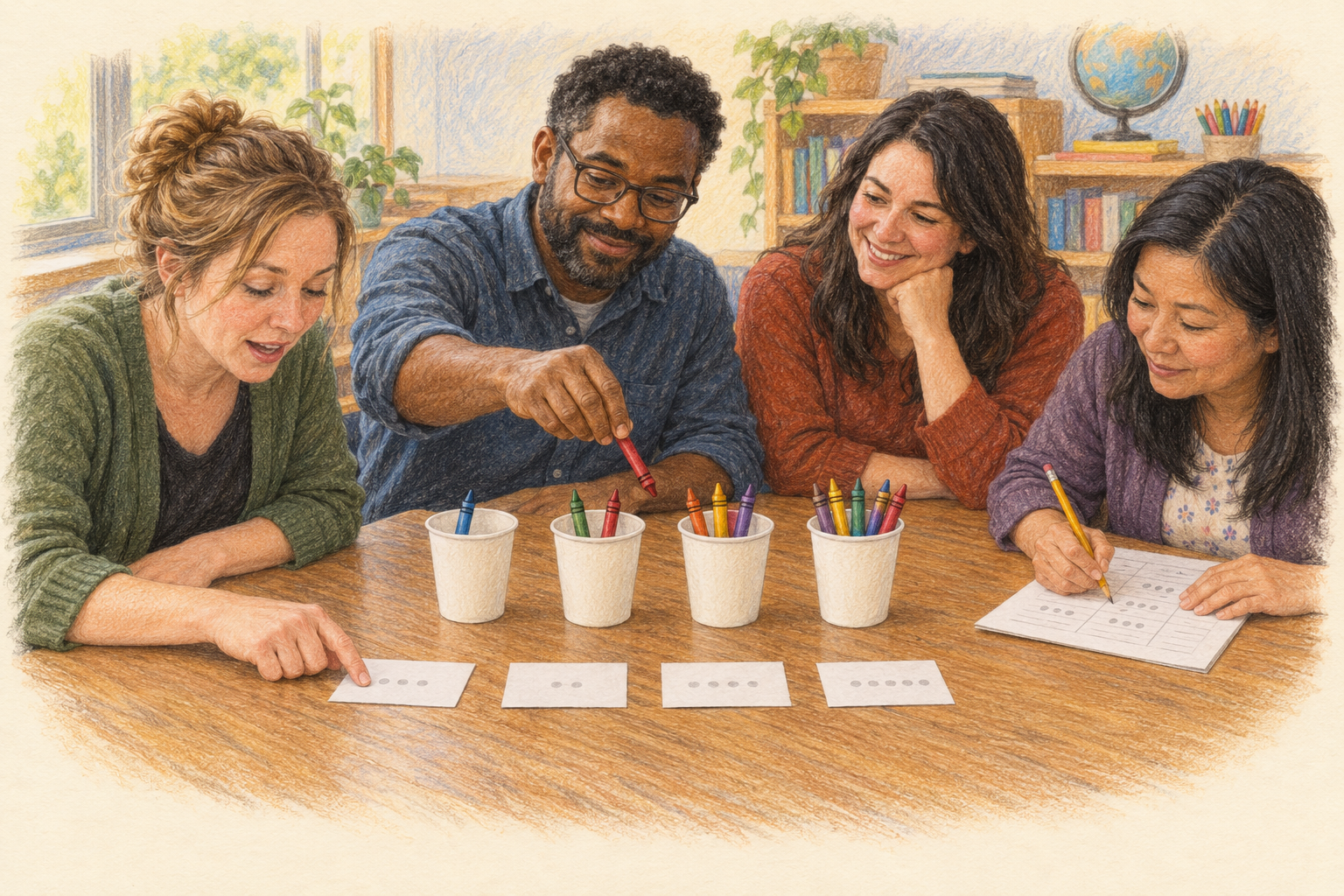
This machine never changes for the rest of the exercise. Only the program changes, and the program is nothing but numbers written on blank cards. Write different numbers and you have a different program. A real computer is the same: its program is just numbers in memory, right next to its data. That is Turing’s stored-program idea, built with crayons.
The memory holds numbers, nothing else: count the crayons in a cup. Print the step cards from machine-cards.html; the setup pages already have the numbers filled in, and the blank cards are for writing your own programs. Because each card carries its own Step number, the cards can lie on the table in any order, just as a computer’s memory has numbered addresses. Each table needs a box of 24 crayons.
On the slide
- Memory: four cups of crayons, numbered 1 to 4
- Program: ADD and TAKE cards, each with its own Step number
- Write the numbers on the cards
- Keep a finger on the current card
Two kinds of step
Left, step 1: ADD a crayon to cup 1, then go to step 2. Right, step 2: TAKE a crayon from cup 2; if you got one go to step 3; if the cup was empty, STOP. That is the whole machine. ADD always succeeds. TAKE is the only place a choice happens: it checks whether the cup is empty. That one check is enough to build loops, comparisons and everything else.
One person moves crayons in the cups, one keeps a finger on the current card and reads it aloud, one checks. Nobody needs to know what the program does.
Program 1 · Add
Two cards. The program moves crayons from cup 2 to cup 1 one at a time until cup 2 is empty. Cup 1 ends with 8, after 11 moves.
The program has no numbers for the data in it. Put any two numbers in cups 1 and 2 and it adds them; the only limit is how many crayons you have. That is the difference between a program and its data.
Program 2 · Multiply
Six cards, same two kinds of step. Steps 2 to 4 pour cup 2 into cup 3, keeping a copy in cup 4. Steps 5 and 6 pour cup 4 back into cup 2. Step 1 repeats all of that once for every crayon in cup 1: a loop inside a loop. Cup 3 ends with 12 and cup 2 is back to 4, after 70 moves: about four minutes.
Ask tables to predict before they start. Then ask what they would change to multiply 6 by 7: only the crayons in the cups, never the program. Then ask what they would change to make it add instead: only the crayons on the cards.
Bigger steps from small ones
Programmers call a group of steps that does one job a subroutine. Once the two Add cards work, nobody needs to think about them again: they are a new step, MOVE. Multiply is MOVE, done twice so nothing is lost (that is COPY), inside a loop. Every new step is built only from steps we already trust.
A subroutine can even be shared: before jumping into it, put crayons in a spare cup saying which step to come back to. That “return address” is just another number in memory. Real computers do exactly this every time one part of a program calls another.
Climbing to any program
Reveal the rungs from the bottom. Each rung is built only from the rungs below it, exactly as the subroutines were.
Clear, move and copy are a few cards each. Subtract is TAKE from two cups together; compare is subtracting until one cup runs out and seeing which one. Divide and remainder are repeated subtraction, and Euclid’s algorithm is built from them.
The surprising rung is memory. A real computer has billions of numbered cells. A counter machine can keep many cells in one cup as one big number: treat its digits as the cells, the way 4,207 holds 4, 2, 0 and 7. Reading cell 2 is dividing and taking the remainder, which we already have. So the machine can have arrays, lists and pointers.
With memory cells and arithmetic, each instruction a real processor has (load, store, add, compare, jump, call) is a subroutine. A processor itself runs one loop: fetch the next instruction from memory, decode it, carry it out. That loop is a program too, and it can be written for the counter machine. So any program a computer runs, from a spreadsheet to an AI model, could in principle be run with cups and crayons.
We do not need the details, and nobody would build a computer this way: it would take more crayons than there are grains of sand, and forever to run. The point is that nothing more is needed. That is what Turing complete means.
Why the counter machine is Turing complete
This is the definition from slide 17, and the ladder is why it holds. The cups are memory that can be read (TAKE checks it) and written (ADD and TAKE change it); TAKE chooses the next step by what it finds; going back to an earlier step is repetition. Minsky proved in 1961 that a machine with just these two kinds of step can do anything a Turing machine can, and so anything any computer can. With only two cups it still works, but the programs have to pack everything into enormous numbers; more cups make programs shorter.
The program is itself just symbols on cards. Write it in crayons instead and a bigger program could read and run it: Turing’s universal machine, and the idea behind every stored-program computer.
A program can also run forever. One card, ADD to cup 1 then go to step 1, never stops; it just fills cup 1 until the crayons run out. Turing proved there is no general method that can look at any program and decide whether it will stop: the halting problem.
On the slide
- One machine; only the step cards changed
- Any program can be climbed to from ADD and TAKE
- Marvin Minsky, 1961: it can do anything a Turing machine can
- The real limits are crayons and time
Take it to your classroom
These are for later, with students, not for running now. Each has a printed setup page in machine-cards.html and instructions on the activity sheet. Good classroom challenges: write a program that subtracts, one that doubles, one that decides whether a number is even. Students can check each other’s programs by running them.
On the slide
- Euclid’s algorithm: the greatest common divisor (GCD)
- Square roots, without multiplying
- A program that never stops
- Blank cards: write your own
Exercise 1 · What we saw
Tell them what you told them. The machine only does what its cards say, and every card can be read: that is the understanding Chloe had of her crayon. Next, a machine that seems to do far more, and whose workings are much harder to see.
On the slide
- Two rules, add one and take one, made a working computer
- A program is just numbers written on cards
- Small steps build bigger ones, all the way to any program
- That is Turing completeness: as simple as a crayon
Exercise 2 · A machine that seemed to think
Open Exercise 2 from where Exercise 1 ended. The counter machine does exactly what its cards say, and we can read every card. For a long time people have been just as fascinated by machines that seem to think for themselves.
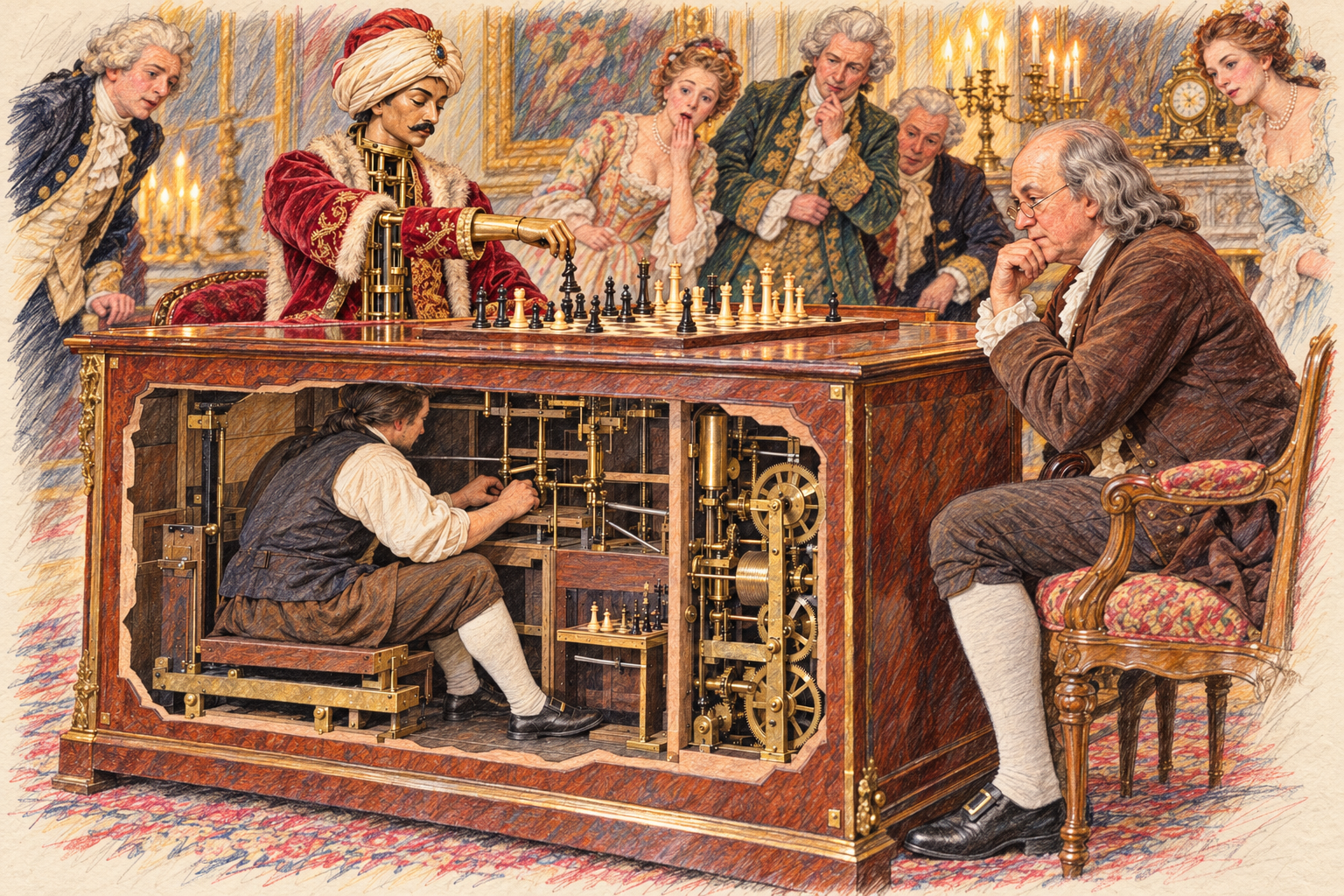
Wolfgang von Kempelen built the Turk to impress Empress Maria Theresa’s court and presented it in 1770. A turbaned figure sat at a cabinet and played chess against visitors. Before each show the operator opened the cabinet doors to display clockwork, while a strong human player stayed hidden inside and moved the figure’s arm with levers. After Kempelen’s death, Johann Mälzel bought it and toured Europe and the United States. Reported opponents include Benjamin Franklin in Paris and Napoleon. Edgar Allan Poe published an essay in 1836 arguing that a person must be inside. The Turk burned in a museum fire in Philadelphia in 1854.
Use the illustration to ask what the audience could see and what they could not. It is an AI-generated artistic scene, not documentary evidence of a specific encounter.
The bridge: today’s AI chat systems can feel like the Turk, with fluent answers coming out of a box. There is no person hidden inside them, but there is no rule table someone wrote either. The next slide shows where people still are.
On the slide
- 1770: Kempelen’s chess “automaton”
- Shown across Europe and America
- A hidden chess master worked it
- Destroyed by fire, 1854
The Turk returns
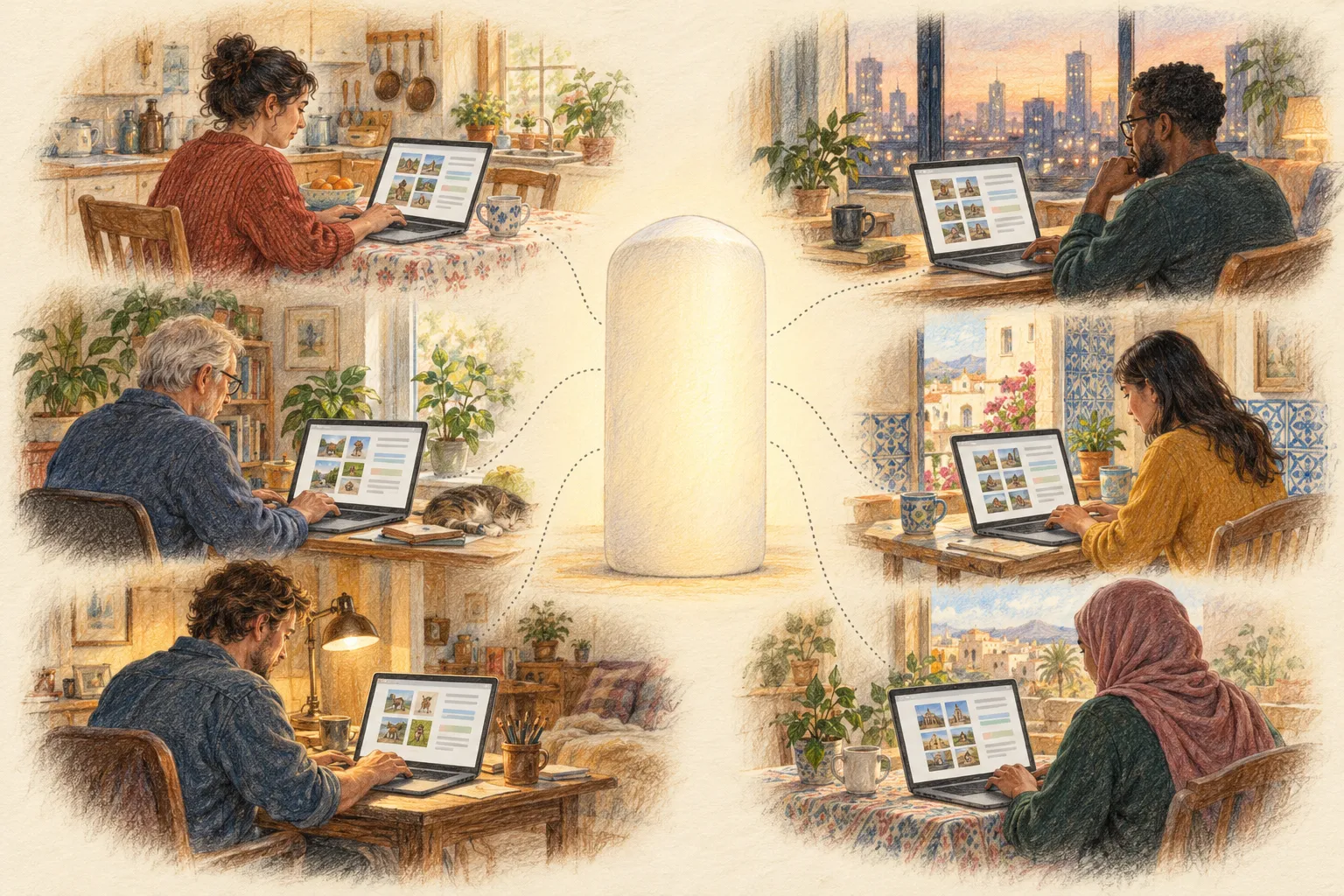
Amazon named its marketplace for small paid tasks after the chess automaton, and called it “artificial artificial intelligence”. Requesters post tasks that are easy for people but hard for computers: label a photo, transcribe a sentence, rate an answer. Workers around the world complete them for small payments. Some of the best-known training datasets were built this way; the labels for the ImageNet photo collection were gathered on Amazon Mechanical Turk.
This is where the people went. A language model is trained on enormous numbers of examples written, labelled and judged by people. It learns, for each situation, how likely each next word is. Like the original Turk, the human work is easy to forget once it is hidden behind a machine.
Ask whose judgment the labels capture, who decides what a good answer is, and how the workers are paid. Do not claim that any particular current AI company used Amazon Mechanical Turk.
On the slide
- 2005: Amazon opens “Mechanical Turk”
- People are paid per task to label, rate and write
- Their answers become training data
- The people are hidden again, inside the data
What to watch for
Say what the exercise is for before anyone starts, so tables know what to notice. Every table is going to act out what a language model does when it answers. The people at the table supply possible next words, the way people’s writing and judgments supply a model’s training data. The hat chooses one of those words by chance, weighted by how many people suggested it, the way a model picks its next word from the likelihoods it learned. Then everyone looks at the story so far and suggests again.
Two things to watch: which words show up on many slips (the likely ones), and how a single chosen word changes everything that follows. Afterwards we will connect both to how real models are trained and how they respond.
On the slide
- Your table plays the people: everyone suggests the next word
- The hat plays the model: it picks one suggestion by chance
- One word at a time, the story grows
- Watch: which words were likely? Why do two runs differ?
A word from the hat
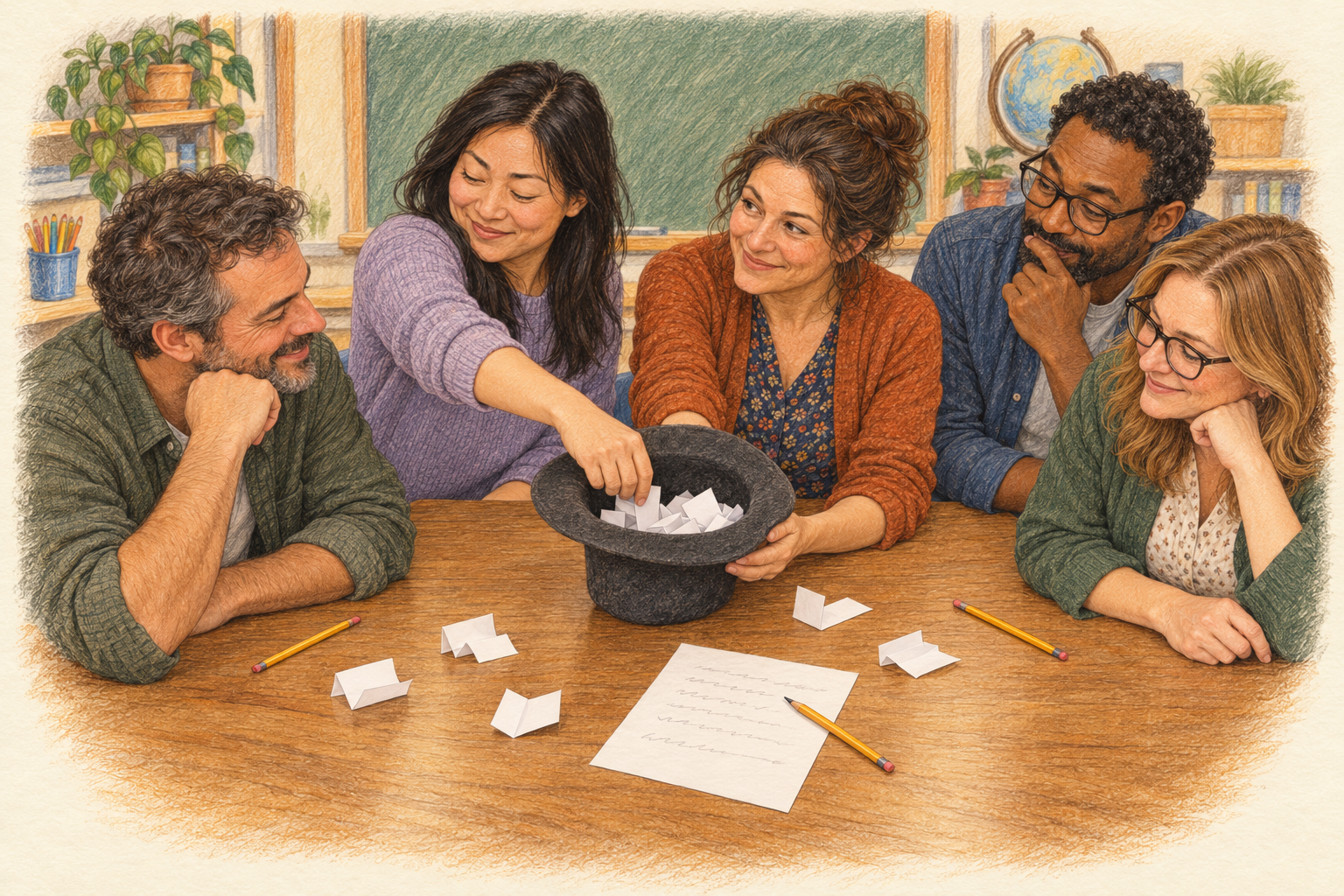
Give tables a moment to gather materials and choose a reader. The reader keeps the response sheet, reads aloud and draws the slips; everyone, including the reader, writes a slip each turn. Anyone may dictate a slip or swap roles for accessibility. No phone, account or microphone is needed.
The next three slides carry the complete instructions. Leave each one up long enough for tables to start on their own, then walk the room rather than narrating from the front.
On the slide
- Tables of 4 to 6 people
- A hat or cup, small paper slips and pencils
- One response sheet per table
- Choose one reader
The prompt
Read the instruction first: tell a short story about a surprising discovery at school. That is what a person would type to a chatbot. Then the sentence starts for them, the way a model’s answer begins.
Every table uses this exact prompt. The words drawn from the hat continue the sentence, so the first slip finishes “we found a…”. Expect nouns on the first turn and more variety later.
Do not suggest answers. Whatever people propose is the data.
Each turn
Each turn starts from a fresh hat. Old slips never carry over, because the context has changed. Keep duplicate words as separate slips: if three people wrote “frog”, it has three chances. Punctuation may attach to a word.
The eight-word cap is a time limit, not something a model learns. Six minutes is an estimate for one run of up to eight turns. If tables are slow, let them stop at five or six words.
Run it again
The point is that nothing about the rules changes between runs. Only the random draws differ, and each draw changes what people propose next. Two runs can still match; that is an honest result, not a failure. A third run is worthwhile if a table finishes early.
Ask the reader to keep both sentences for the discussion.
On the slide
- New line, same prompt: “At recess, we found a…”
- Same rules, fresh slips every turn
- Don’t plan ahead or try to change the result
- Compare your two sentences
Same prompt. Same process.
Invite two tables to read their outputs. At a particular step count the candidate slips. If four of six slips said “frog”, its draw probability was four sixths in our setup. That is an empirical frequency of these people’s suggestions, not a measurement of a language model. A selected word changes the context, so the next set of proposals can change. STOP is a possible draw, not a majority vote.
This models sampling during generation. It does not train a neural network. People supply the candidate distribution from their own learning and judgment. A language model calculates a distribution over tokens using learned parameters and the input context; tokens may be parts of words. Generation can sample from that distribution. Some decoding choices are deterministic, so randomness is not the defining difference between a learned model and explicit program logic. Temperature is optional extra detail and is omitted here.
On the slide
- Which words appeared on more than one slip?
- Did one drawn word change what you wrote next?
- Why are your two sentences different?
Where do the probabilities come from?
Name the two concepts. A probability distribution is the full list of possible next words with the chance of each. Our hat held one: if four of six slips said “frog”, frog had a four-in-six chance. Training is how a model comes to hold such distributions without a hat full of people. Examples supply a prediction task, and a learning procedure changes many numerical parameters to reduce its prediction error. In a neural language model those parameters turn the context into scores for possible next tokens. They are not a readable list of instructions written by an author for every situation. Learned associations can be useful and also reflect accidental regularities or gaps in the examples.
Compare the card proof: we derived an exact destination from the stated rules. The hat made the influence of context and selection visible, but it did not expose how a neural network learns representations. A model can repeat an answer consistently without giving us a comparably simple justification that it is correct on a new input. Explicit programs can also be buggy, complex or undecidable to analyze in general. We choose mechanisms and verification methods appropriate to what we depend on.
Close the loop with the Turk: the slips came from the people at your table; a real model’s likelihoods come from millions of people’s writing and judgments, gathered in ways such as Amazon Mechanical Turk. The people are still there, hidden in the data.
Who can build the tool?
Compare what the classroom just needed with producing a large pretrained model: gathered and prepared data, substantial computation, technical work, evaluation and continuing infrastructure. GPT-3’s paper describes a 175-billion-parameter model. That is a historical scale example, not a current price quote or a minimum size for useful machine learning. Training a small model, adapting an existing model and training a frontier-scale foundation model from scratch are very different undertakings. Individuals can do valuable work with smaller and openly available systems, while competing at the largest scale is highly unequal.
Relate this to Chloe. Access to an impressive service is real opportunity, but it can carry conditions that the user cannot change. A downloadable result may not preserve the running system, the ability to edit it, or the right to take it elsewhere. Avoid claiming all subscriptions are bad or all open-source systems solve access. Ask which dependencies can be replaced, inspected, repaired or exited and which cannot. A crayon-making activity has no classroom-scale equivalent for reproducing an entire modern AI stack. That gap is part of the subject.
Exercise 2 · What we saw
Tell them what you told them, and connect it back to the Turk: the original hid a chess player in a cabinet; a language model hides millions of writers and judges in its training data. The answers can be fluent and useful, but the judgment came from people, and the rules are not a table anyone can read.
On the slide
- People supplied every possible next word
- Chance picked one, weighted by how many suggested it
- A model learns those chances from millions of people’s words
- The people are still there, hidden in the data
Demonstration · “Interactor”
The demonstration is BadgeSnake, the first piece of “The Interactor”: a kit for watching several students’ code interact in real time. It is based on Battlesnake, an online game where “code is the controller”: instead of steering a snake with a joystick, each player writes a program that chooses every move, then watches the snakes play each other.
Here, each student’s program goes onto a BeagleConnect Zepto, the $1 computer. The Zeptos plug into a BeagleBadge, which runs the rules of the game and draws it on its ePaper screen. Nobody touches the game once it starts: everything that happens is what the students wrote beforehand.
A second Zepto with a small screen sits on the same wires as a logger: it shows every message that passes between the badge and the snake. Nothing is hidden. That is the counter machine again: a computer following written rules exactly, where you can read every step. It is also the opposite of the Mechanical Turk: there is no person hidden in the cabinet.
Ask afterwards: what would you have to understand to write a snake that wins? And how is that different from playing a video game?
The hardware: BeagleBadge has a TI AM62L processor (two Arm Cortex-A53 cores), a 4.2-inch ePaper screen, Wi-Fi and Bluetooth, light, motion, temperature and humidity sensors, and QWIIC, Grove and mikroBUS sockets. BeagleConnect Zepto has a TI MSPM0L1117 microcontroller (Arm Cortex-M0+ at 32 MHz, 128 kB of flash, 16 kB of RAM), mikroBUS holes for about 2,000 add-on boards and two QWIIC connectors; students can program it with MicroBlocks, MicroPython or Arduino.
Status (Interactor repository, 22 October 2026): the logger firmware builds and passes its host tests but has not yet run on hardware, and the Zepto’s role as a game player over I2C has not yet worked on hardware. Have a fallback ready, such as a video, if it is not working by the session.
The Zepto picture is a computer rendering; replace it with a photo of a real board when one is available.
Today, in one slide
Tell them what you told them, for the whole hour. One line per part, in the order we did them. Then go straight into the closing discussion on the next slide.
On the slide
- Chloe’s crayon drawings outlasted her animations; Bridget’s alebrije ran out of credits
- Two rules and some crayons can compute anything
- A language model’s words come from people, chosen by chance
- BadgeSnake: students’ code plays the game, with nothing hidden
- Ask of every activity: what can students understand and change?
Two feet in a supercar
Placeholder for Jason’s analogy. Most lessons about technology for children are about using it, or about safety: which sites to avoid, what not to share. Safety matters, but it is a list of rules for driving, not an understanding of the machine. Today’s exercises opened the hood instead.
For review: should this analogy stay, and where does it fit best? Candidates: here, before the closing question; after “What is technology?”; or with the crayon bridge into Exercise 1.
On the slide
- We sit children in a million-dollar sports car
- They drive it two feet, and we call it a success
- Using a technology is not understanding it
Amplifying agency after the activity
Return to Bridget’s drawing and Chloe’s uncertainty. Give pairs two minutes: choose an activity they teach, name the mechanism children actually inspect, and name a dependency that remains beyond their control, including the networks their work travels over. Then invite two responses. Leave at least one minute for the last question or an unresolved concern.
Re-state the central commitment: give students opportunities to read logic, predict behavior under stated conditions and make a machine carry out their intentions, even if AI helped produce the code. Successful exposure to a product does not by itself provide that understanding. The mechanisms we examined, an exact procedure and a probabilistic one, are small and comprehensible. The larger barriers include access, cost, ownership, complexity and intimidation, and an hour cannot remove them. Teachers can nevertheless become much more attentive to what opportunity an activity leaves with a child.
The phone tool and microphone-triggered image reveal remain optional future investigations. This deck contains no listener, recording, live model call or mandatory hardware demonstration.
Return to RJ’s saying and Jason’s opening stance: find the good in the ideas people bring, including the ideas their students see in others. Ask what opportunities the activity makes available, and what dependence remains. Avoid presenting this hour as a solution to systemic inequality.
Questions
Fifteen minutes for questions and discussion. Good ones to have ready if the room is quiet: which of today’s activities could you run next week, and what would you need? Where in your own teaching do students use a tool without seeing how it works? What would it take to open the hood on it?
Point people to the take-home materials: the counter machine cards and classroom programs (machine-cards.html), the homework that builds a whole processor from two instructions (homework.html), and the paper activities.
Source context
Earlier story v3. The Starry Night in Jason’s supplied image replaces the earlier fictional pencil-tree museum scene in this presentation. Bridget’s alebrije running out of credits is Jason’s first-hand observation; Chloe’s animations that no longer play place her in the real end of Flash Player at the end of 2020. The invented scenes about bought-up tools and retired services were removed. No brand misconduct is asserted. Reveal.js notices.